

Git Credential Manager: authentication for everyone
Ensuring secure access to your source code is more important than ever. Git Credential Manager helps make that easy.

Build what's next on GitHub, the place for anyone from anywhere to build anything.

Join us October 28-29 in San Francisco or online for GitHub Universe, our flagship developer event uniting people, agents, and the world's code.
Two years ago we launched GitHub for Windows as the easiest way to use Git and GitHub on Windows. Today we’re shipping a major update that helps you focus more…
Two years ago we launched GitHub for Windows as the easiest way to use Git and GitHub on Windows. Today we’re shipping a major update that helps you focus more on your work and gives you a more streamlined way of getting that work to and from GitHub.
When you write code, your workspace should be as distraction free as possible. We’ve focused GitHub for Windows so that what you’re working on is front and center.
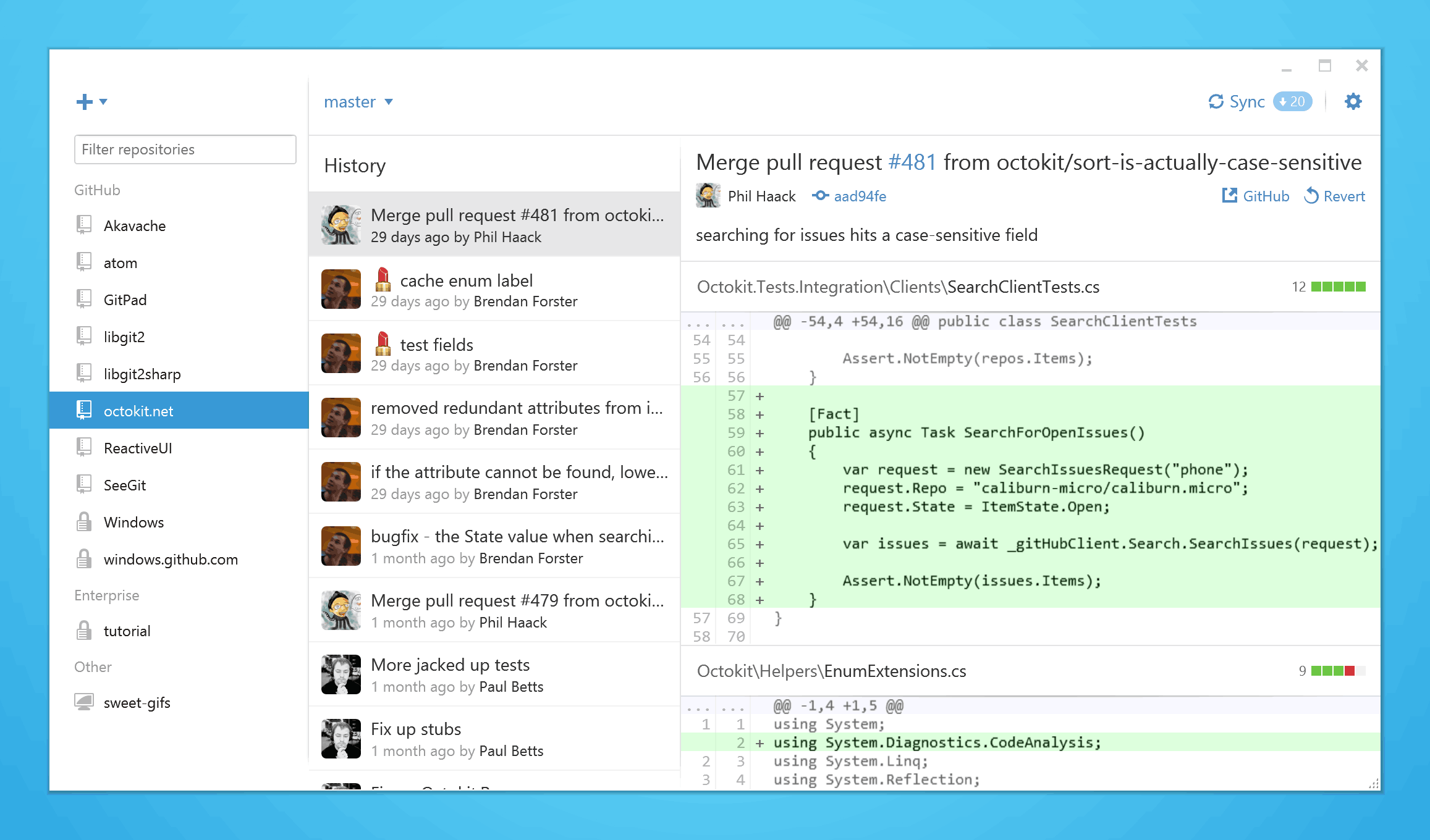
The less time you spend navigating through menus and options, the more you can focus on getting things done. Now your local repositories are always available in the left sidebar, and you can create, clone, and publish repositories without having to navigate to a new screen.
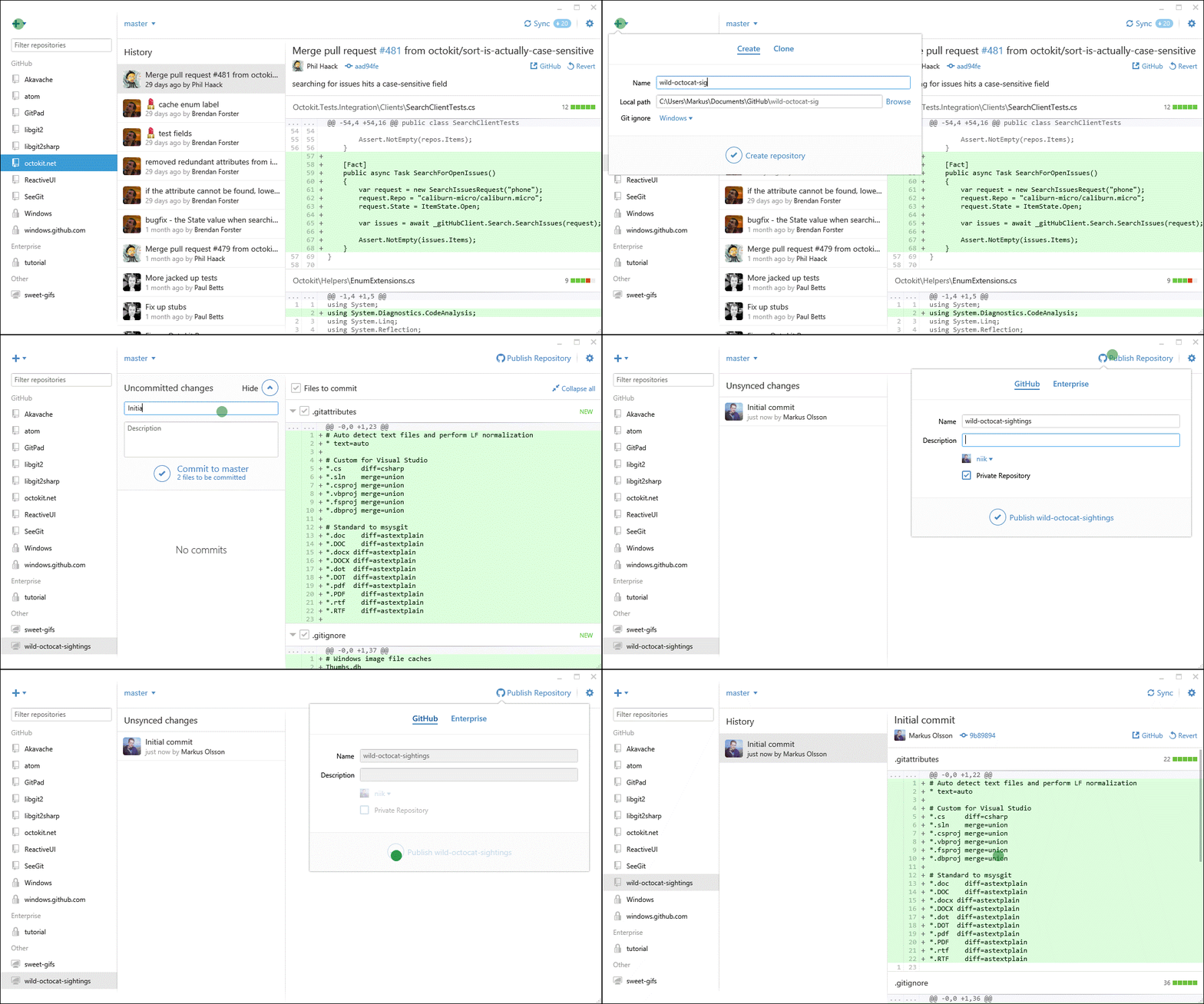
The sidebar also groups your repositories by where they originated, so repositories associated with GitHub Enterprise are easy to distinguish from your personal projects and it’s simple to switch between them.
GitHub for Windows also now supports more of the GitHub feature set. You can pick an ignore file template for your project when you create a repository, and you can include emoji and gifs in your commit messages.
If you have GitHub for Windows installed it will automatically update to the latest version. If you don’t have it installed, download GitHub for Windows 2.0 at windows.github.com.
Ensuring secure access to your source code is more important than ever. Git Credential Manager helps make that easy.
GitHub Desktop 2.8 now includes several new features to make it easier to work with diffs and easier for people who have multiple copies of the same repository. Expand diffs…