

Responsible AI pair programming with GitHub Copilot
GitHub Copilot boosts developer productivity, but using it responsibly still requires good developer and DevSecOps practices.

Build what's next on GitHub, the place for anyone from anywhere to build anything.

Join us October 28-29 in San Francisco or online for GitHub Universe, our flagship developer event uniting people, agents, and the world's code.
We released GitHub for Mac almost exactly 5 months ago. Today we’re excited to release its first big update. So, what’s new? Redesigned changes The entire changes view has been…
We released GitHub for Mac almost exactly 5 months ago. Today we’re excited to release its first big update.
So, what’s new?
The entire changes view has been redesigned. It’s now easier to review your changes and roughly 5 gazillion times faster.

We think commit messages are pretty important. But it’s hard to create meaningful messages if you have unrelated changes in the same file.
So we added per-line committing.
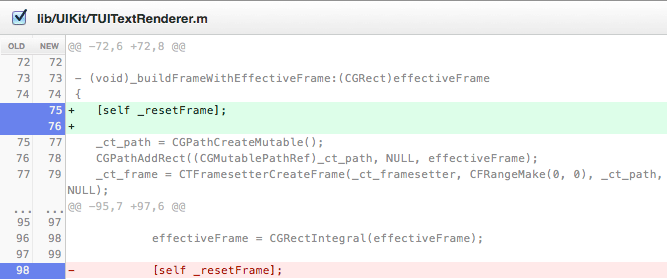
Select the lines you’d like to commit. Write an awesome commit message. Commit.

We’ve added Commit & Sync. It’s now just one step to share your changes.
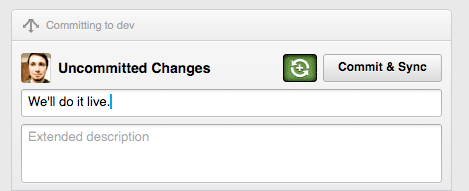
A few other noteworthy changes:
The app will automagically update itself. If you want to make sure it’s grabbing the new version, go to the GitHub => About GitHub menu.
It took blood, sweat, and 951 commits to create 1.1. We think it’s a huge step forward.
As always, feel free to contact us if you need any help.
GitHub Copilot boosts developer productivity, but using it responsibly still requires good developer and DevSecOps practices.
We’re always trying to improve the GitHub developer experience in meaningful ways, and we love learning from our customers. In the last several months we released several new fork capabilities, and we’re publishing revised fork documentation that gives more details with clearer explanations to make fork concepts easier to understand.