GitHub has supported using an alternate “noreply” email address to author web-based commits for a while now. Starting today, there’s another way to ensure you don’t inadvertently publish your email address when pushing commits to GitHub via the command line.
Git uses your email address to associate your name to any commits you author. Once you push your commits to a public repository on GitHub, the authorship metadata is published as well.
If you’d like to ensure you don’t accidentally publish your email address, simply check the “Keep my email address private” and “Block command line pushes that expose my email” options in your email settings.

You’ll also want to configure Git to use your username@users.noreply.github.com email. Don’t worry—this won’t affect your contribution graph. All commits will still be associated with your account.
Once you configure Git, commits will use your alternate “noreply” email address, and any pushes that don’t will be rejected.
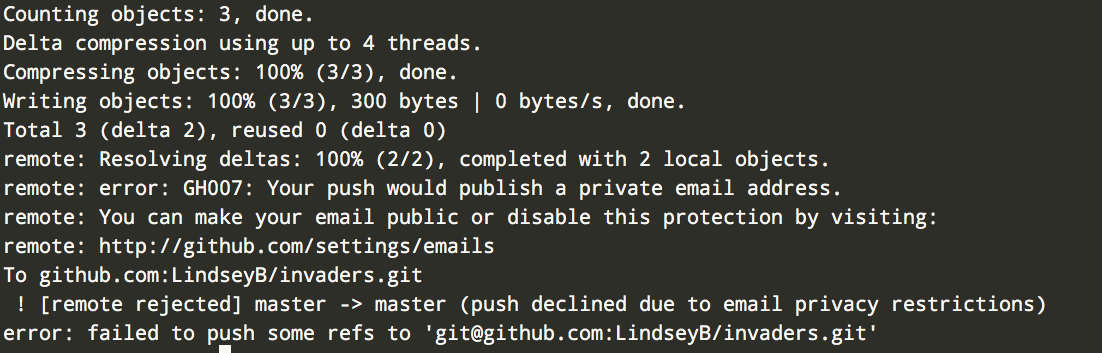
If you already have a private email address and would like to use this feature, check your email settings to make sure it’s enabled. New private emails will have the option enabled by default.
For more information on keeping your email address private, check out the GitHub Help documentation.
Stay safe!