Now you can create and delete branches from GitHub.com.
In your repository’s branch selector, just start typing a new branch name. We’ll give you the option to create a new branch:
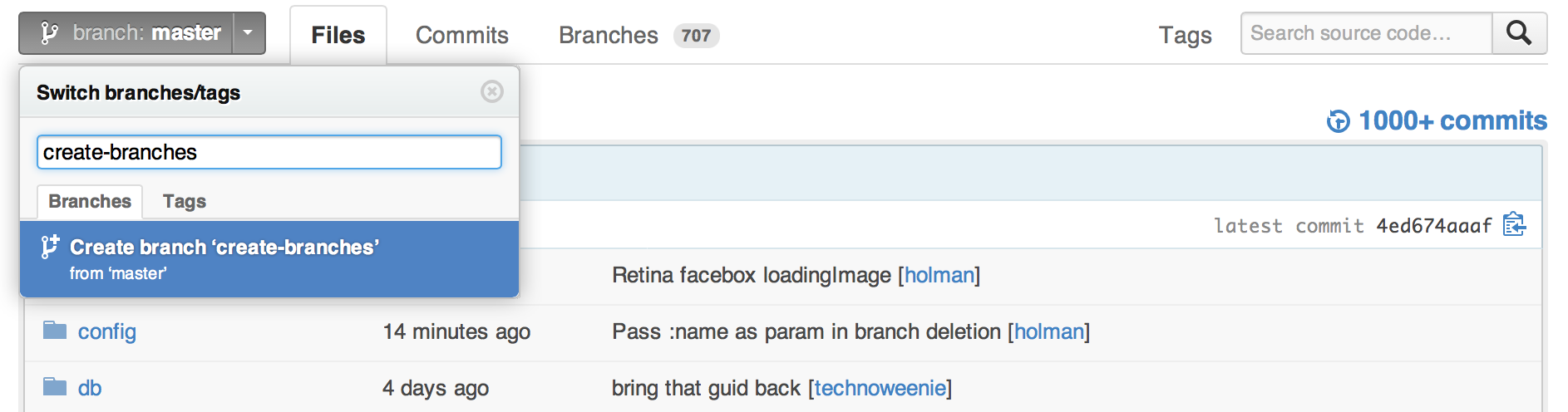
We’ll branch off of your current context. For example, if you’re on the bugfix branch, we’ll create a new branch from bugfix instead of master. Looking at a commit or a tag instead? We’ll branch your code from that specific revision.
You’ll also see a delete button in your repository’s Branches page:
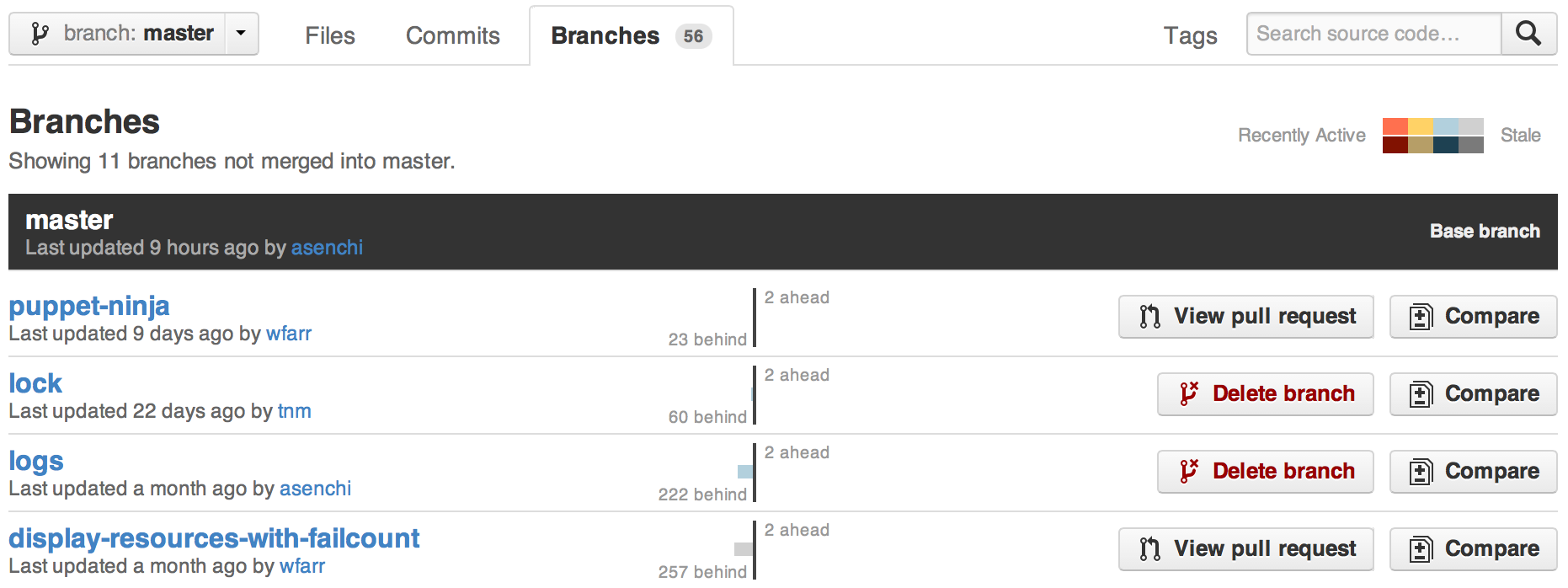
As an added bonus, we’ll also give you a link to the branch’s Pull Request, if it has one.
For small changes like documentation fixes, typos, or if you’re just a walking software compiler, you can get a lot done in your browser without needing to clone the entire repository to your computer:
Happy branching!


