If the past year has underscored anything, it’s that AI agents are becoming a bigger part of developers’ day-to-day workflows.
We recently launched Copilot coding agent, an asynchronous, autonomous developer agent: it allows you to assign an issue to Copilot, and Copilot will work in the background and create a draft pull request for your review. Copilot coding agent works like a member of your team, and it’s received a great response from developers so far.
But we know that not all of your work lives in GitHub Issues.
Today, we’re launching a new agents experience on GitHub — the agents panel — allowing you to quickly delegate tasks to Copilot from any page on github.com with a simple prompt and track Copilot’s progress without breaking your flow.
And of course, Copilot coding agent is also integrated into VS Code, GitHub Mobile, and the GitHub MCP Server, so you can collaborate with Copilot wherever you’re working.
- Available now for all paid Copilot plans (Pro, Pro+, Business, Enterprise).
- Ask your administrator to enable Copilot coding agent if you’re on Copilot Business or Copilot Enterprise.
- Hand off tasks from anywhere: GitHub.com, GitHub Mobile, Copilot Chat, VS Code, or MCP-enabled tools.
- Stay in control: Track and review tasks in GitHub or VS Code.
Learn more >
| Need a quick refresher on GitHub Copilot coding agent? Skip ahead > |
The agents panel, available today on every page on github.com, is your mission control center for agentic workflows on GitHub.
It’s a lightweight overlay that allows you to hand new tasks to Copilot and track existing tasks without navigating away from your current work. Just click the new Agents button in the navigation bar to get started.
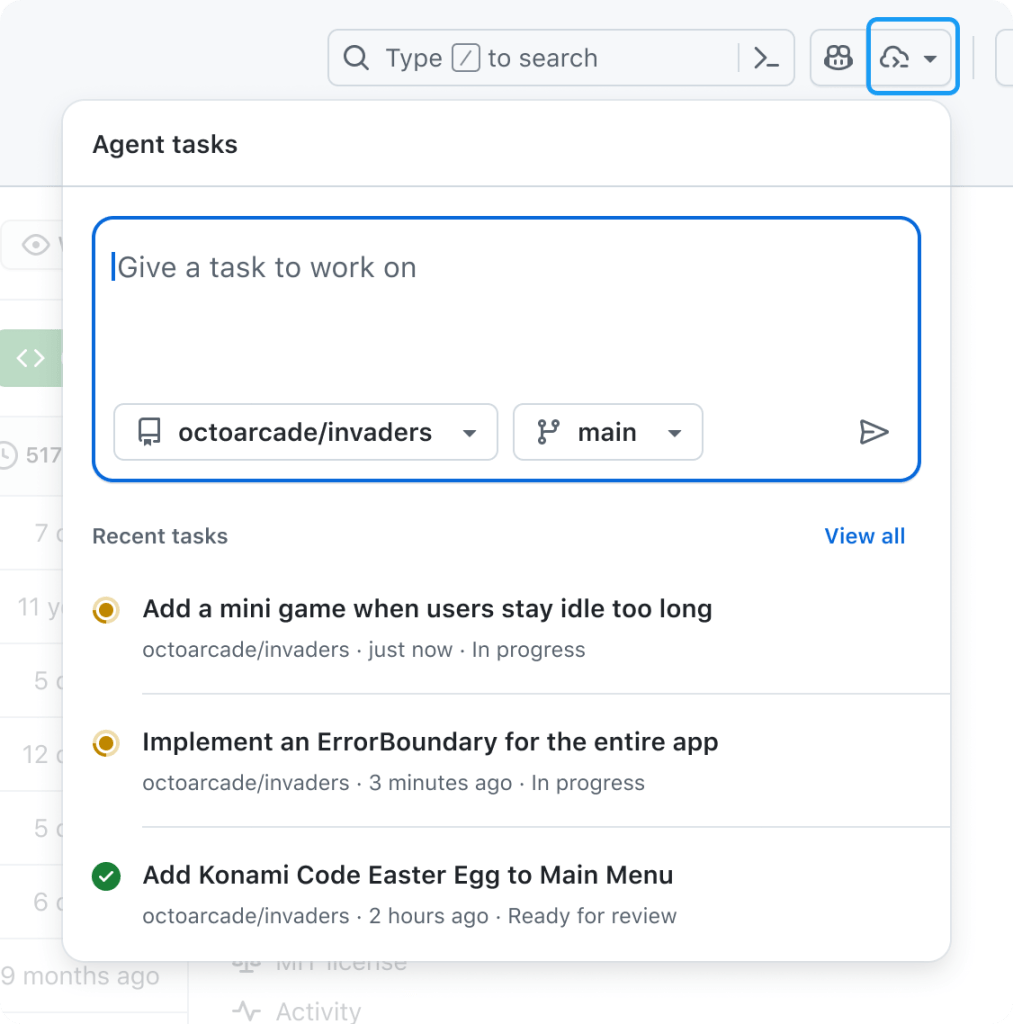
From the agents panel, you can:
- 🛠️ Assign background tasks without switching pages.
- 👀 Monitor running tasks with real-time status.
- 🔗 Jump into pull requests when you’re ready to review.
Open the panel in a full-screen view by clicking View all tasks, or bookmark github.com/copilot/agents for direct access.
You can start a new Copilot task from the new agents panel with a simple prompt. Just open the panel from any page on GitHub, describe your goal in natural language, and select the relevant repository. Copilot will then take it from there and start creating a plan, drafting changes, running tests, and then preparing a pull request.
Not sure where to start? Try the following sample prompts:
- Describe a simple task:
- “Add integration tests for LoginController”
- “Refactor WidgetGenerator for better code reuse”
- “Add a dark mode/light mode switcher”
- Refer to a GitHub issue or pull request as context, optionally providing extra context:
- “Fix #877 using pull request #855 as an example”
- “Fix #1050, and make sure you update the screenshots in the README”
- Run multiple tasks in parallel:
- “Add unit test coverage for utils.go” + “Add unit test coverage for helpers.go”
Copilot coding agent lets you hand off coding tasks — via GitHub.com, GitHub Mobile, VS Code, or any MCP-enabled tool — and get back a draft pull request when it’s done. It runs in the cloud, can work in parallel on multiple tasks, and continues even if your computer is off.
Its secure, GitHub Actions-powered environment can run builds, tests, and linters without asking for every step. You stay in control with detailed logs and pull request-based approvals, and can give feedback by mentioning @copilot in a review.
Thanks to the Model Context Protocol (MCP), Copilot has read access to your repository data on GitHub (powered by the GitHub MCP Server). It can also view web pages for testing and validation (powered by the Playwright MCP Server), and connect to your own MCP servers, as well. You can learn more about how it works (or read our Docs), if you’re curious.
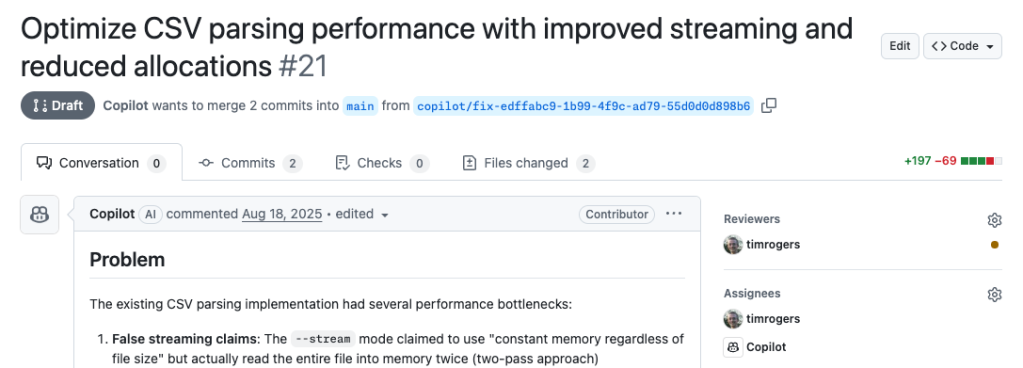
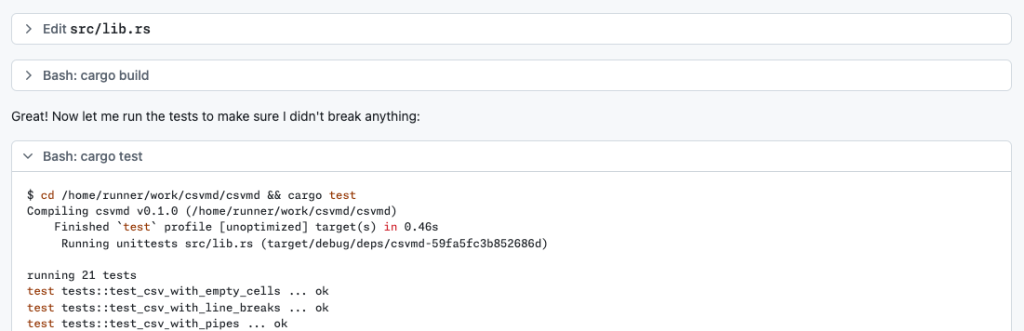
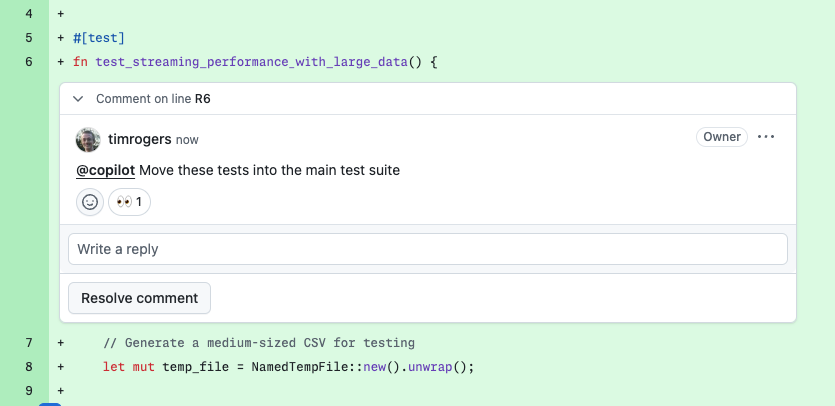
You can also start Copilot coding agent tasks from:
-
GitHub Issues: Assign an issue to Copilot on github.com or GitHub Mobile.
-
Visual Studio Code: Delegate tasks to Copilot and track running tasks with the GitHub Pull Requests extension.
-
Other IDEs: Ask Copilot to open a pull request in Copilot Chat in JetBrains IDEs and Visual Studio.
-
MCP‑enabled tools: Trigger tasks from compatible apps that integrate via the Model Context Protocol.
We’ve made several improvements to Copilot coding agent since its initial launch:
- Broader availability: Copilot coding agent (public preview) is now open to all paid Copilot subscribers (Pro, Pro+, Business, Enterprise)
- 20x more usage: Each agent session now uses just one premium request
- Smarter agents: Built‑in browser for validating changes, plus new configurability via remote MCP servers, custom instructions, and firewall settings
- Cross‑surface support: Available across GitHub.com, VS Code, JetBrains IDEs, Visual Studio, and GitHub Mobile
Copilot coding agent and the new agents panel on GitHub is available today in public preview for all paid Copilot subscribers. Your administrator may need to enable the Copilot coding agent policy.
Learn more about GitHub Copilot >