Enterprise-managed settings now support bypass permission controls
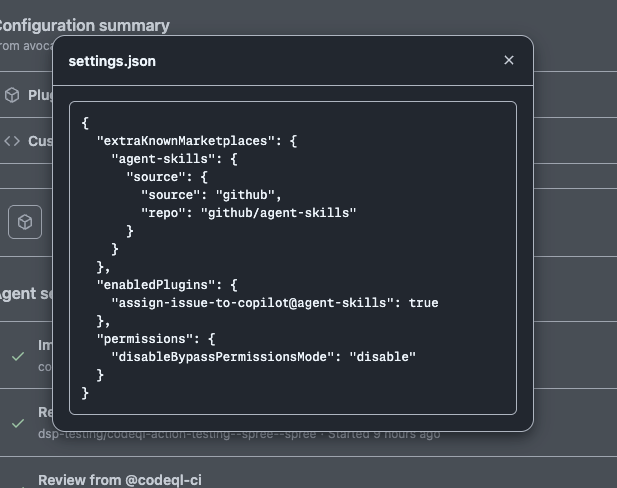
We’re adding our first governance capability to the enterprise-managed settings configuration. Enterprise administrators can now set disableBypassPermissionsMode to "disable" in the enterprise-managed settings.json to prevent GitHub Copilot CLI and VS Code from automatically skipping permission prompts (also known as “yolo mode” or auto-approve).
Add disableBypassPermissionsMode to .github-private/.github/copilot/settings.json. GitHub Copilot automatically pulls and applies these settings for users licensed through your enterprise account with Copilot Business or Copilot Enterprise. If you’ve already configured a source organization for custom agents, this setting uses that same .github-private repository. You can confirm that your configuration is active on the Agents page under AI controls in your enterprise settings.
This builds on the enterprise-managed plugins for Copilot CLI and VS Code capabilities launched earlier. VS Code v1.122+ already respects enterprise-managed settings including this policy. The new supported path for AI standards is copilot/managed-settings.json, with backward compatibility for .github/copilot/settings.json.
To learn more, see Disabling automatic command approval in Copilot clients.
Join the discussion within GitHub Community.