Improvement
The code scanning alert page shows status and details for the default branch

The code scanning alert page now always shows the alert status and information for the default branch. There is a new ‘Affected branches’ panel in the sidebar to see the status of the alert in other branches. If the alert does not exist in your default branch, the alert page will show the status as ‘In branch’ or ‘In pull request’ for the location where the alert was last seen.
This improvement makes it easier to understand the status of alerts which have been introduced into your code base.
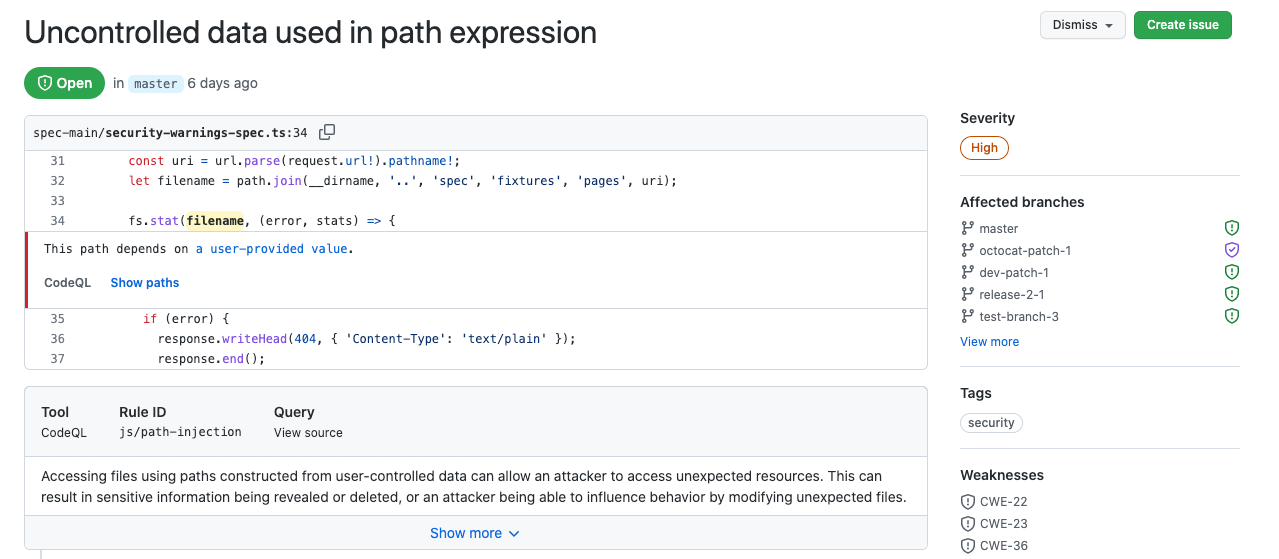
The alert list page is not changed and can be filtered by branch. You can use the code scanning API to retrieve more detailed branch information for alerts.
Read more about alert details.